

Showing posts with label Mobile. Show all posts

Sunday, May 18, 2014

Root My Device v1.2 - root android device quickly - free download


This application provides you with a way to root safest and this method is 100% successful  to root your phone or tablet. This application not only saves your money, but also provide a way to root quickly and neat. The method is set up specifically for newbies not having any knowledge about the root. This method involves a few easy steps and it takes less than 5 minutes to root your Android device completely.
• Please read the instructions carefully before you root your device. Should backup everything again if you don't feel reassured. Please note, root can lose warranty on your device.
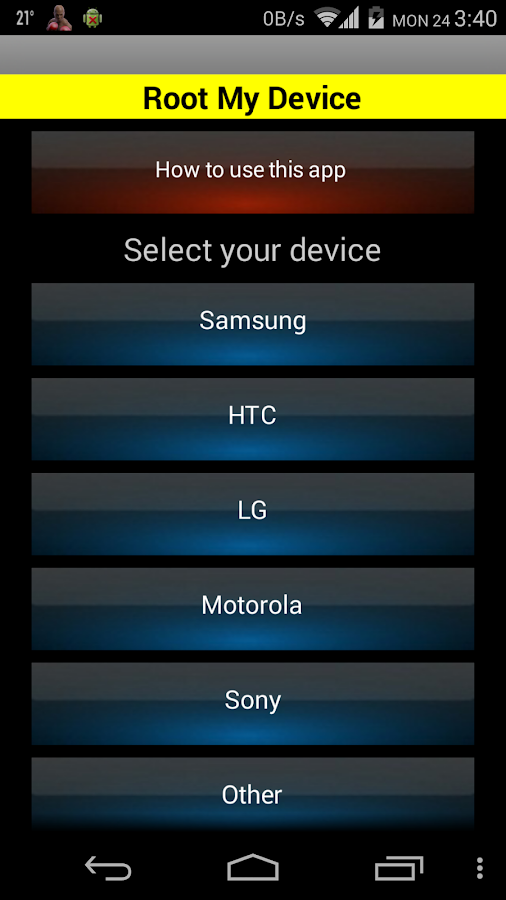

Root android mobile tablet capture screen app


DEVICES SUPPORTED
All models of Samsung, HTC, Motorola, LG, Sony, Acer, Dell, Huawei, Kyocera, Amazon
This app provides you with - Full support completely - More than 600 devices. - 70 languages ​​for you ..... etc.
 
PRODUCT CHARACTERISTICS
Guide step by step
Easy to use
No fee
Supports the latest equipment ... etc.

Download at CHplay: ►HERE

translate from nexus9x's post <vn-zoom.com>

Friday, May 16, 2014

Manage the capacity of RAM consumed on Android devices by tools available


• "Process Stats" (ProcsStats) is in the configuration section for developers on the Android 4.4 KitKat. When access  to Settings > Developer options > Process Stats, we will have the ability to track what applications and services are operated, frequency of runs cost how many time, the highest RAM capacity and the average of RAM capacity that they used.
When you see an app that takes up more RAM, you can turn it off manually by selecting the app to close, press the button "Force stop".

You can also select the menu button > Stats type to view statistics on the extent of RAM consumed of softwares that runs underground (background), run "floating" (foreground) or run as a process in the cache (cache).
Note: If you haven't seen Developer Options:
you go to Settings > About phone/tablet > touches on the Build Number from 5 to 7 times repeatedly.


slow speed process, high access dump RAM

In Android 4.4 KitKat, Google has released a solution to displace for the decode Dalvik, that is Android Runtime (ART). The greatest benefit of ART is that it allows Android programmers continue to write software in the way that they have done previously, their software can run on different variety CPU with speed is faster and feel smoother. An experimental version of the ART have been dipped in Android 4.4 and you can find it in the Settings section > Developer Options > Select Runtime.
Note: some machines use ROM cook may haven't  ART and to enabling it can render the system and applications encountered critical error because it's only in the test stage. You should read more articles about Android Runtime before trying to upgrade to ART .
Translate from Duy Luan's post <tinhte.vn>


Copyright @ 2014 Guide and share anything relate to Information Technology.

Template by Templateism | MyBloggerLab